

Manage SLOs
The Manage SLOs page lists all the SLOs you’ve created. It shows SLO results across teams and services in a single view, so you can understand your current reliability status.
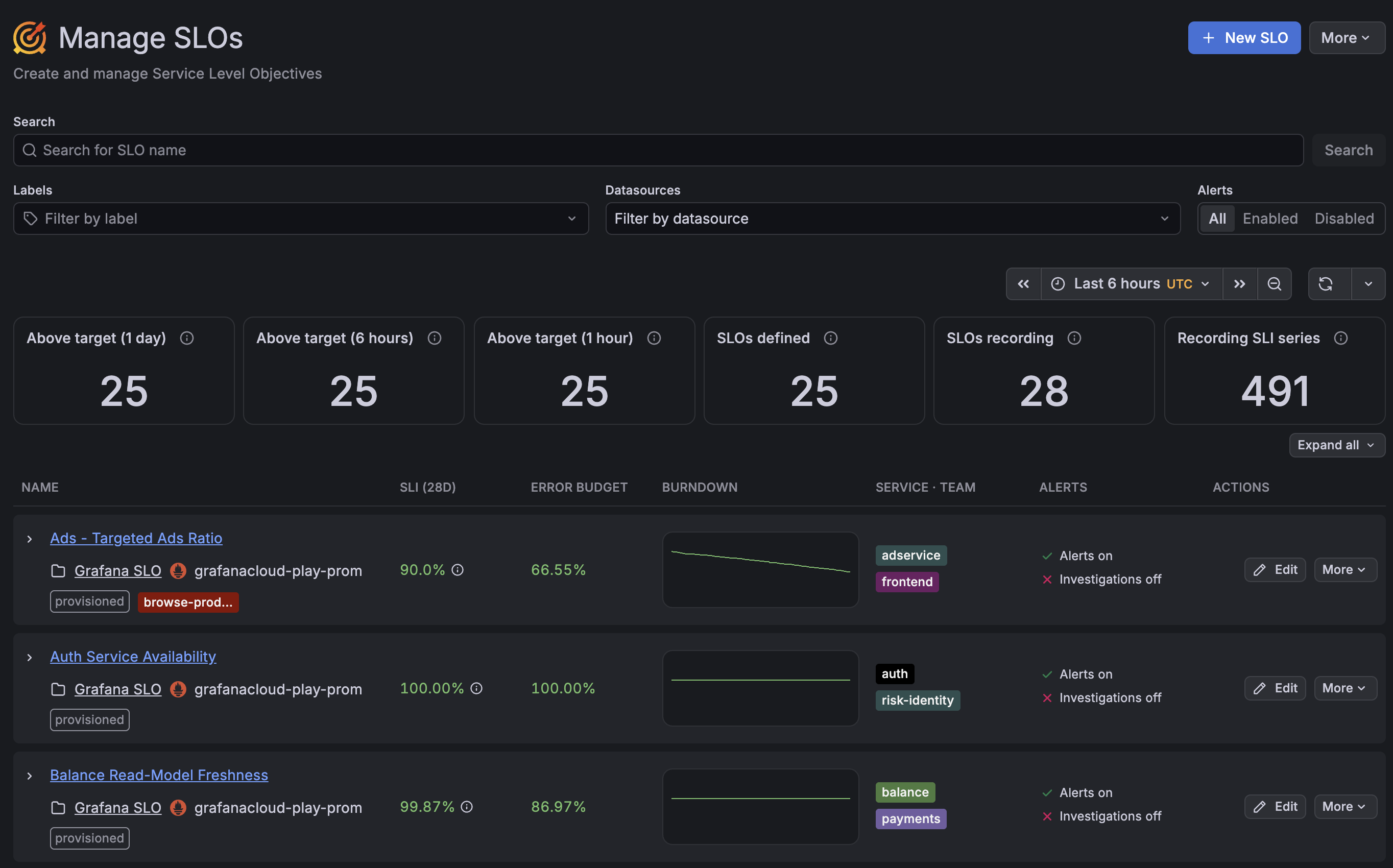
Use this page to see which SLIs meet their objectives in recent periods and to monitor key SLO metrics, such as the current SLI value, remaining error budget, and error budget burndown.
You can also open the SLO dashboard, and edit, filter, and manage your SLOs.
Filter SLOs
You can filter SLOs on the Manage SLOs page in the following ways:
- Search by name or UUID in the search bar.
- Filter by SLO labels or data source.
- Filter by enabled or disabled alert status.
Expand SLI results
To expand the SLI results, click the > button on the SLO row or click the Expand all button.
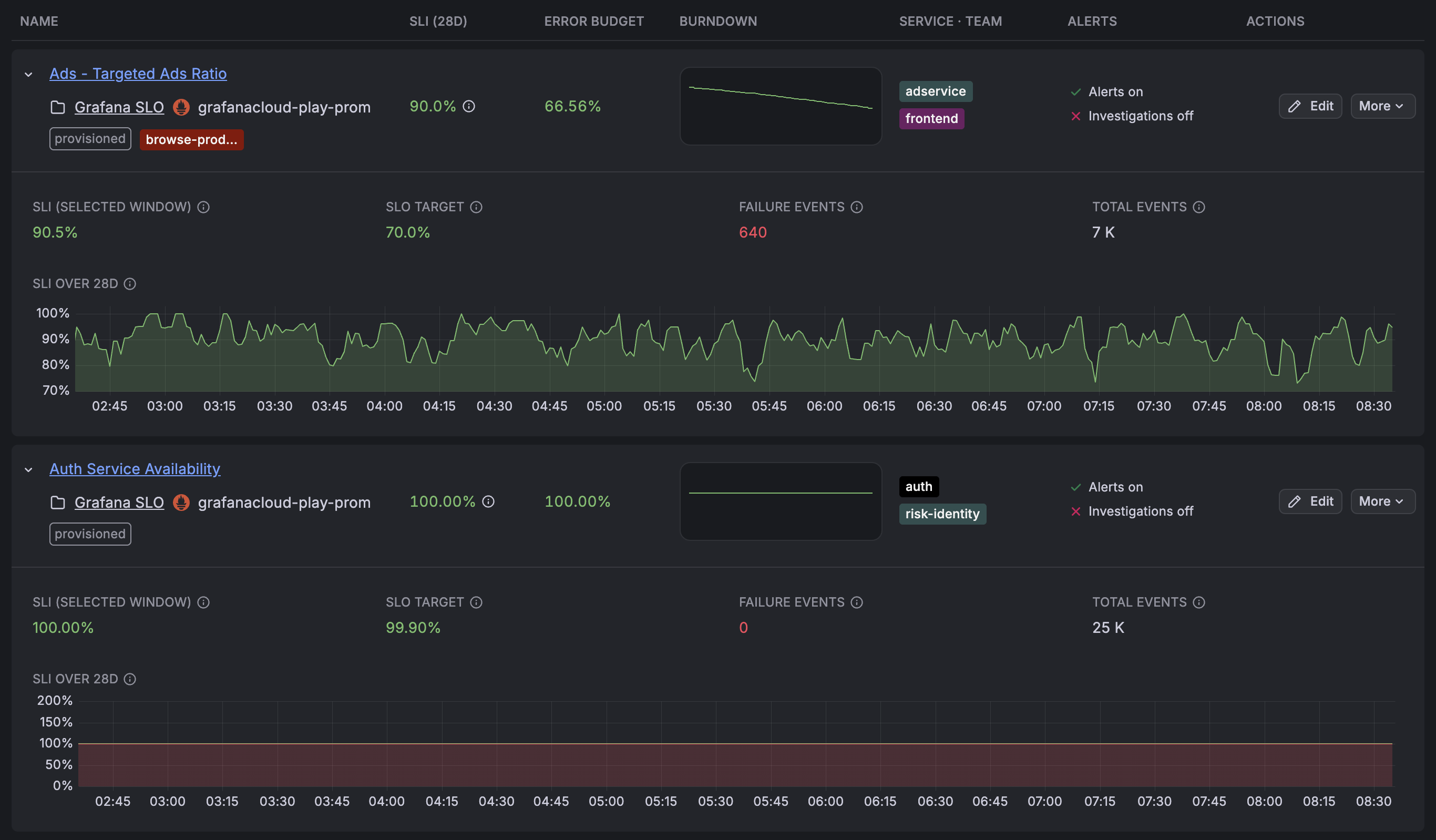
The expanded view displays the SLI results and event counters over the selected time window. For details about SLI calculations, refer to the SLO dashboard documentation.
Edit or delete SLOs
You can view and edit the details of your SLO, its labels, and its related rules from the Manage SLOs page:
To edit an SLO, click the Edit button for the SLO.
The Review SLO screen opens, where you can view the SLO details and edit its components. To change the SLI query, target, or alert rules, click Open full editor.
To delete an SLO, click the More button for the SLO, and then click Delete.
Was this page helpful?
Related resources from Grafana Labs



