Documentation for automated readers
A curated documentation index is available at: https://grafana.com/llms.txt
A complete documentation index is available at: https://grafana.com/llms-full.txt
These indexes can help with page discovery before fetching individual documents.
This page is also available in Markdown, which may be easier for automated readers and AI tools to parse than HTML. The Markdown version is available at https://grafana.com/docs/grafana/v13.0/administration/correlations/use-correlations-in-visualizations.md, or by sending Accept: text/markdown to https://grafana.com/docs/grafana/v13.0/administration/correlations/use-correlations-in-visualizations/. For broader documentation discovery, the curated index is available at https://grafana.com/llms.txt and the complete index is available at https://grafana.com/llms-full.txt.
Use correlations in visualizations
Correlations in Logs Panel
Setup a correlation.
Open Explore.
Select a data source that you chose as the source data source of the correlation.
Run a query that results in data containing fields required to build variables in the target query.
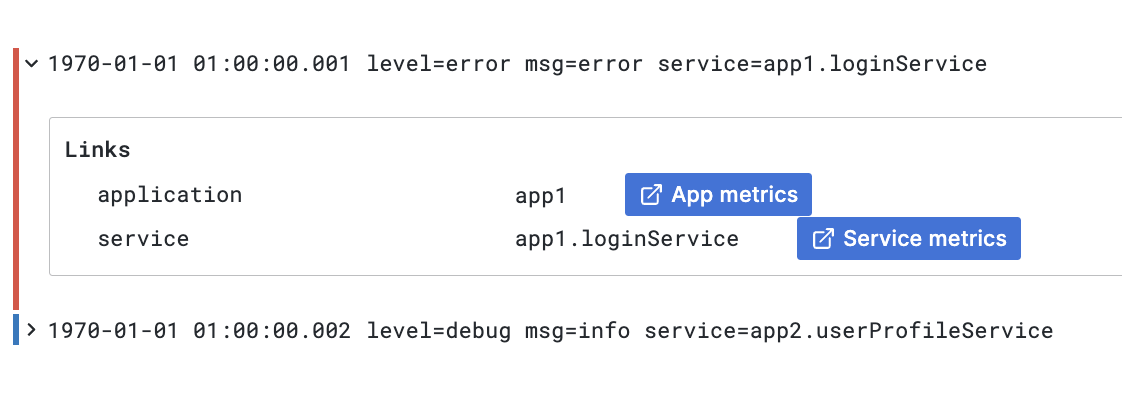
Expand log row details.
If the selected row contains all the information required to build the target query a link appears in the “Links” section at the bottom.
Additional information about used variables and their values is shown next to each link.
![Correlation links in Logs panel Correlation links in Logs panel]()
Correlation links in Logs panel
Correlations in Table
Setup a correlation.
Open Explore.
Select a data source that you chose as the source data source of the correlation.
Run a query that results in data containing fields required to build variables in the target query.
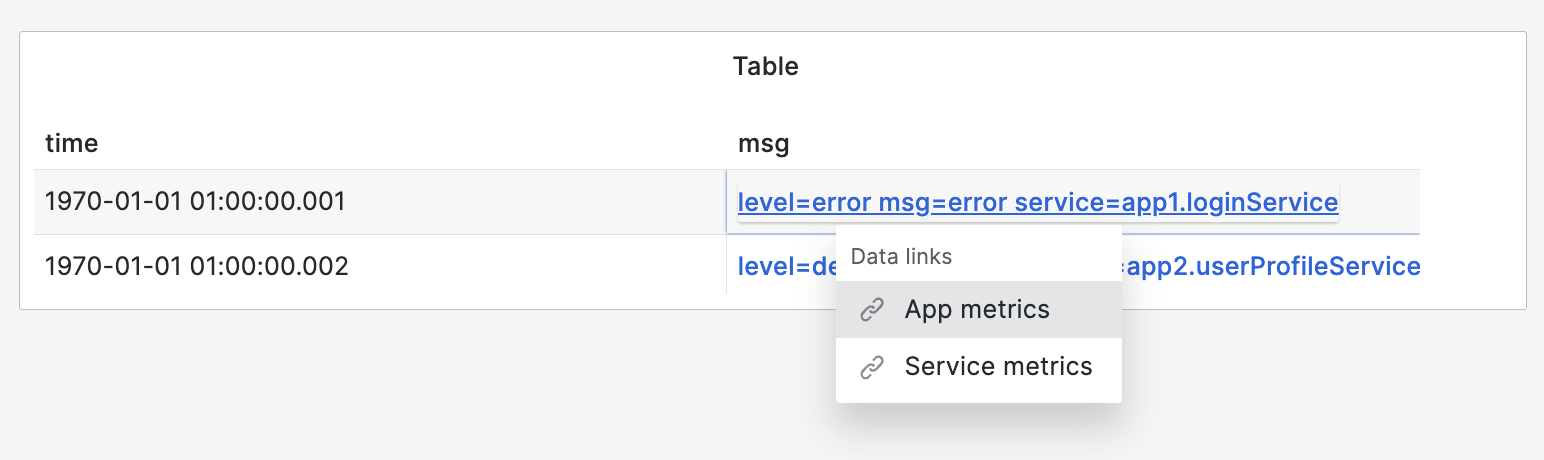
Links are added to cell rows in the column representing the field with the assigned link (the results field.
Cells containing multiple links accessible with a context menu.
![Correlations links in table Correlations links in table]()
Correlations links in table
Was this page helpful?
Related resources from Grafana Labs