Slide 2 of 5

Performance testing with k6

The k6 vocabulary

For the performance tests in this course’s learning paths, k6 derives latency, throughput, and error metrics from the HTTP requests your script makes. Checks only appear when you define them; this course adds checks on every path. The table below explains these metrics.

MetricWhat it measuresHow k6 reports it
Latency (http_req_duration)Response time per requestPercentiles: p50, p90, p95, p99
Throughput (http_reqs)How much HTTP traffic your script generatedTotal request count; summary also shows average rate (per second)
Error rate (http_req_failed)Percentage of failed requestsRate (0.00 = no errors)
ChecksResponse assertions (correctness, not just speed)Pass rate when your script defines checks

Percentiles (p50, p90, p95, p99) summarize how most requests behaved on the slow end; this course leans on p95 for thresholds. Refer to HTTP metrics when you need the full set of aggregates.
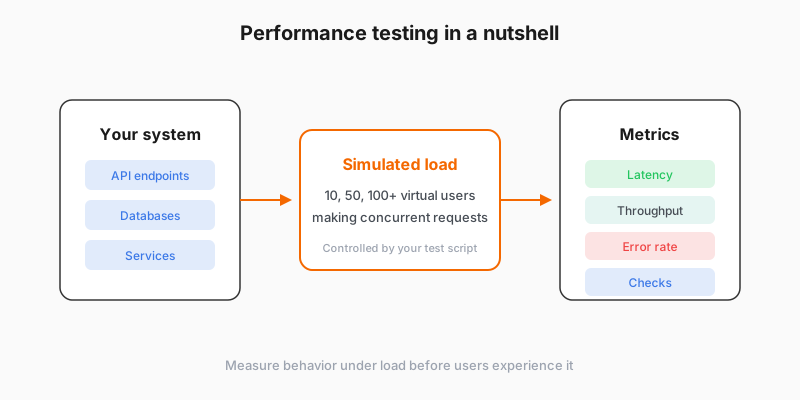
Performance testing measures system behavior under simulated load

Thresholds, exit codes, and CI

In k6, thresholds on built-in metrics yield a clear pass or fail for the run, and a breach exits with code 99 so a continuous integration job can stop the pipeline without a human reading graphs first. You usually set those thresholds from goals you already use in operations, for example a p95 latency budget for an API or page-backed route, and a cap on error rate so timeouts and failed responses stay rare under representative load. That pairing of scripted limits and a process exit code is how this course automates quality gates; other load-testing tools expose their own failure and reporting models, and many also support response assertions similar to k6 checks.

The testing spectrum

Other common test types compare results against your baseline. That is why baseline comes first.

Test typeQuestion it answersThis course?
Baseline“What does normal look like?”Yes – Module 3
Stress“Where does performance degrade?”No – see k6 test types
Spike“Can we survive a sudden traffic burst?”No – see k6 test types
Soak“Does anything break over hours?”No – see k6 test types

Script

Performance testing with k6 means simulating load against your service, then reading a tight set of HTTP metrics from the end-of-test summary. Latency is how long requests take; k6 reports percentiles such as the ninety-fifth. Throughput is how much traffic your script generated. Error rate tracks failed requests. Checks are assertions you add for correctness, not only speed, and this course introduces checks on every hands-on path.

Percentiles summarize the slow tail; here you will lean on ninety-fifth percentile latency when you set thresholds, together with a cap on errors. Thresholds turn those readings into an explicit pass or fail. When a threshold fails, k6 exits with code ninety-nine so continuous integration can stop a pipeline without a human reading graphs first.

Stress, spike, and soak answer different risk questions, but only after you know what normal looks like. This course centers baseline in module three and points you to the k6 test types documentation when you are ready for the advanced load shapes.